EasyPhotoShow icon

Turn your photos into a slideshow in minutes.

EasyPhotoShow does the fiddly parts for you: sorting duplicates, putting photos in order, sizing them to fit, adding music. You choose the folder.

Download Free for Windows Buy Now

Free to try on Windows 10 and 11, with no account needed.
1

Add your photos

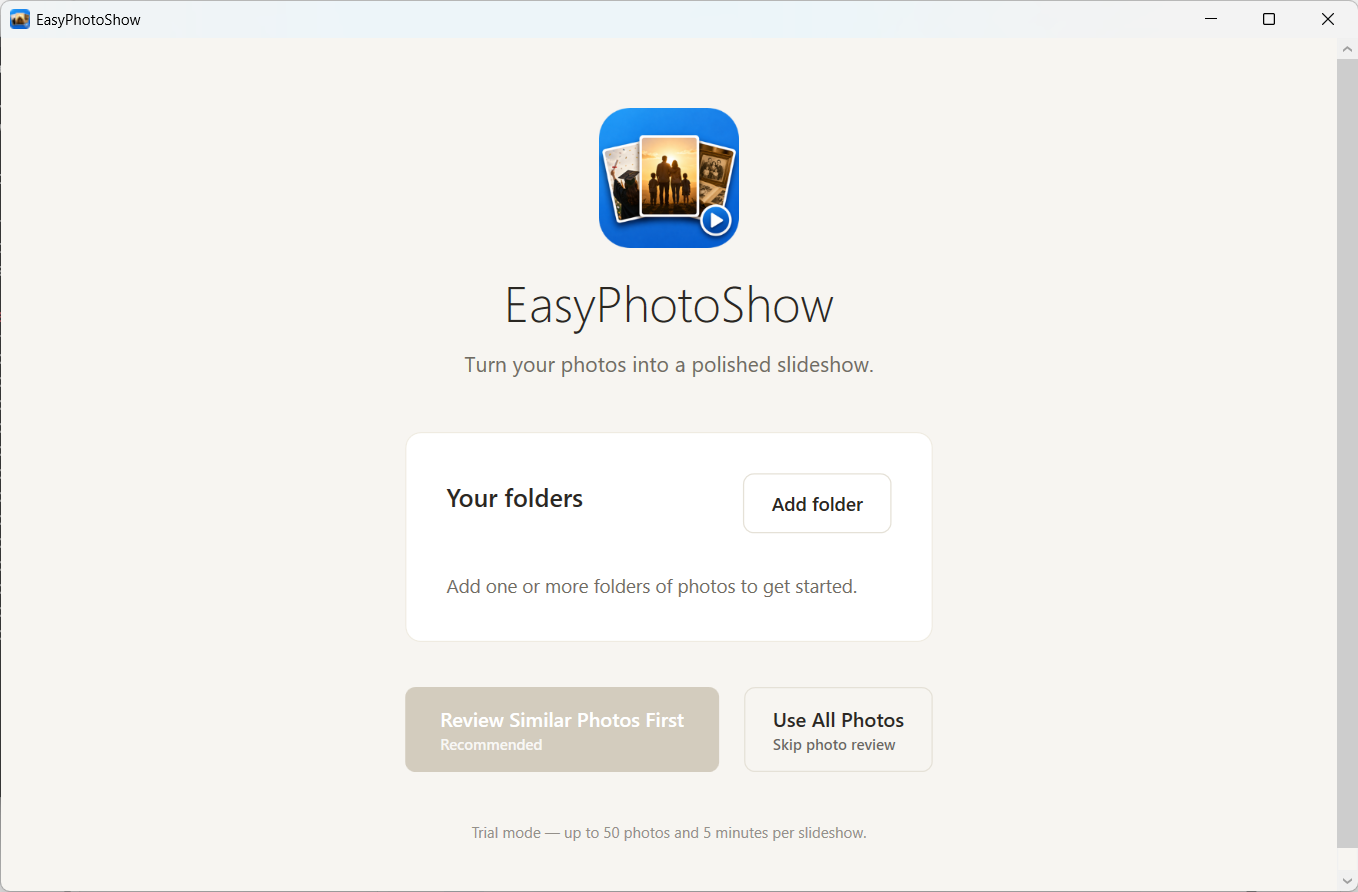
Point EasyPhotoShow at any folder. It reads JPG, PNG, HEIC, and more, including files sitting on an external drive.

2

Review and clean up

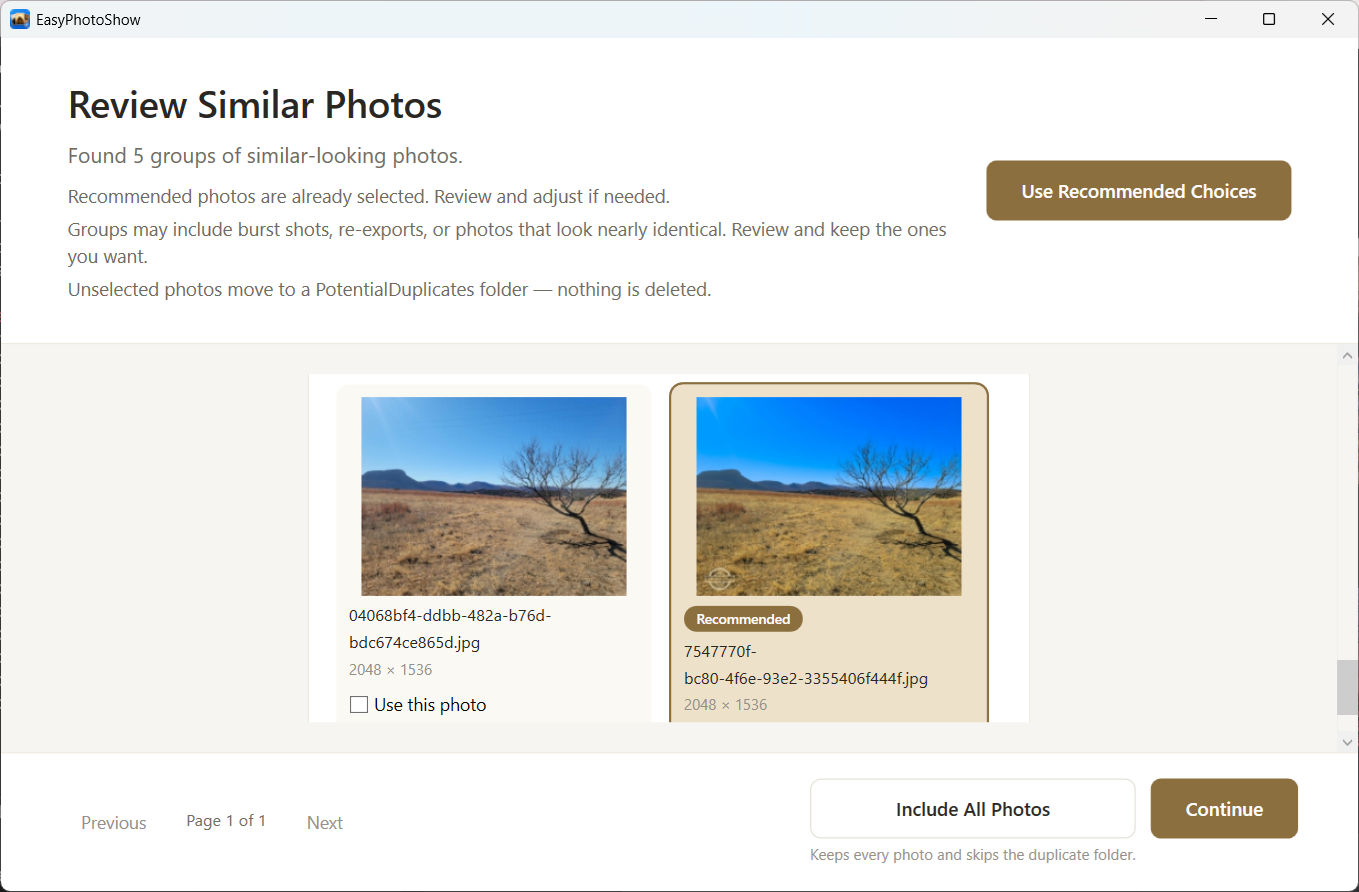
The app groups near-duplicate and burst shots for you and marks the clearest copy in each group. Accept the lot with one click, or work through the groups yourself.

3

Get your video

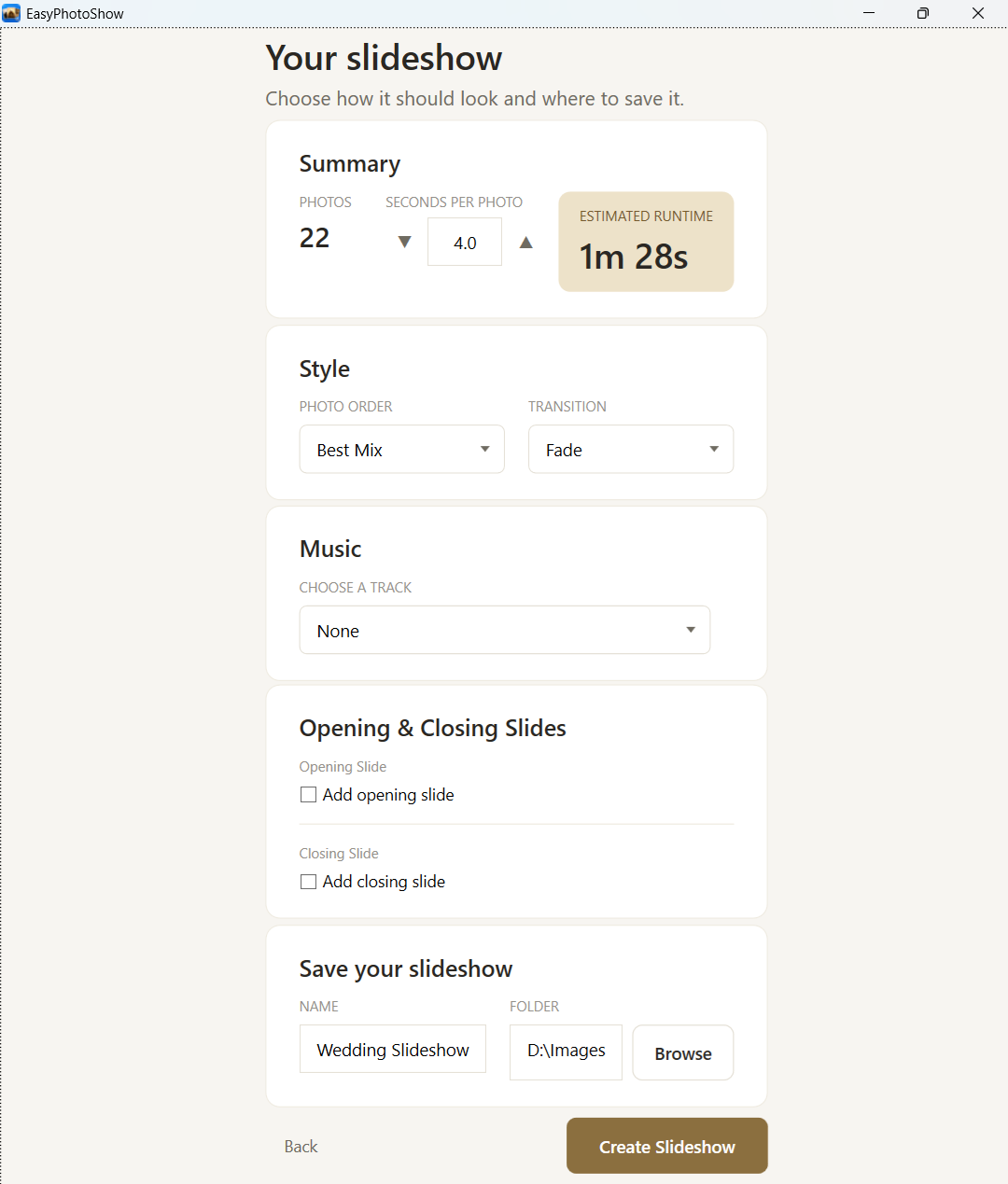
Choose a music track and a transition style, then click Create. Your slideshow saves as an MP4 you can play on a computer, a TV, a phone, or a tablet.

Simple by design.

Every screen has one job. You won’t hunt through menus or work out settings before you start.

The EasyPhotoShow main screen showing the photo folder picker
Add your photos and go
The duplicate review screen showing pairs of similar photos
Review similar photos, keep the best
The slideshow setup screen with music, transitions, and save options
Set your style and create

Works with large collections

Tested on folders holding thousands of photos. It handles JPG, PNG, HEIC, and mixed folders without slowing down.

Your photos stay on your computer

EasyPhotoShow runs on your own machine and uploads nothing. The one time it contacts us is when you activate a purchased license, and that message carries your email address and nothing else.

Nothing is ever deleted

Photos you leave out move into a PotentialDuplicates folder beside them. Your originals stay where they are.

Make your first slideshow

Download Free for Windows Buy Now

Free to try on Windows 10 and 11, with no account needed.